


Computing
Our intent
At St Peter’s, our Computing curriculum develops learners who think logically, solve problems, and use technology creatively, safely, and responsibly. Using the Kapow Computing scheme, pupils build knowledge and skills in digital systems, programming, information technology, and digital literacy while developing computational thinking from EYFS to Year 6. Lessons encourage curiosity, exploration, and independent problem-solving, helping pupils observe, record, analyse, and present data confidently. The curriculum also fosters awareness of how Computing shapes lives locally and globally, inspiring pupils to become resourceful, responsible digital citizens.
What pupils will learn
EYFS – Explore technology through play and learn how devices work.
KS1
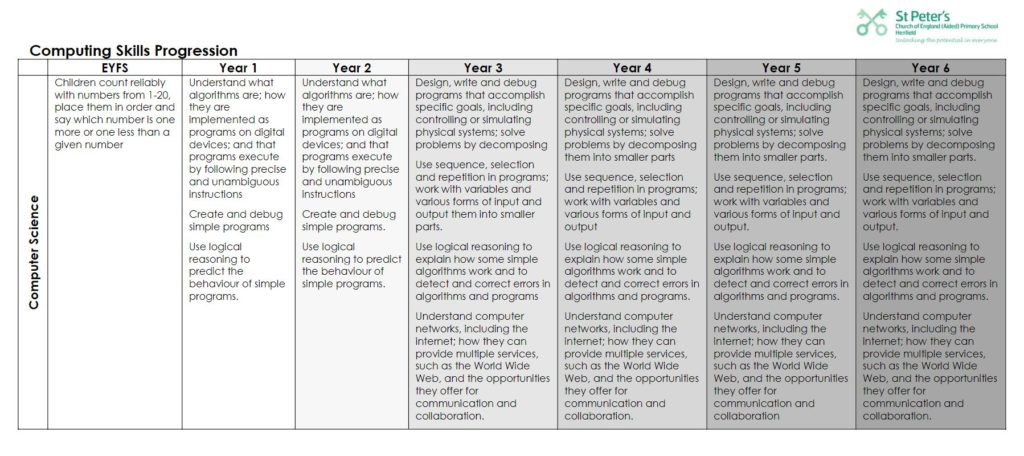
Year 1 – Understand algorithms, create and debug simple programs.
Year 2 – Predict program behaviour, manage digital content, use technology safely.
KS2
Year 3 – Design and debug simple programs, use sequence, selection, repetition, and stay safe online.
Year 4 – Develop more complex programs, work with variables, understand networks, and evaluate digital content.
Year 5 – Solve challenging problems, combine software and online tools, apply reasoning, and use technology responsibly.
Year 6 – Create sophisticated programs and systems, analyse and present data, confidently debug, understand networks, and critically evaluate content.
How we teach Computing
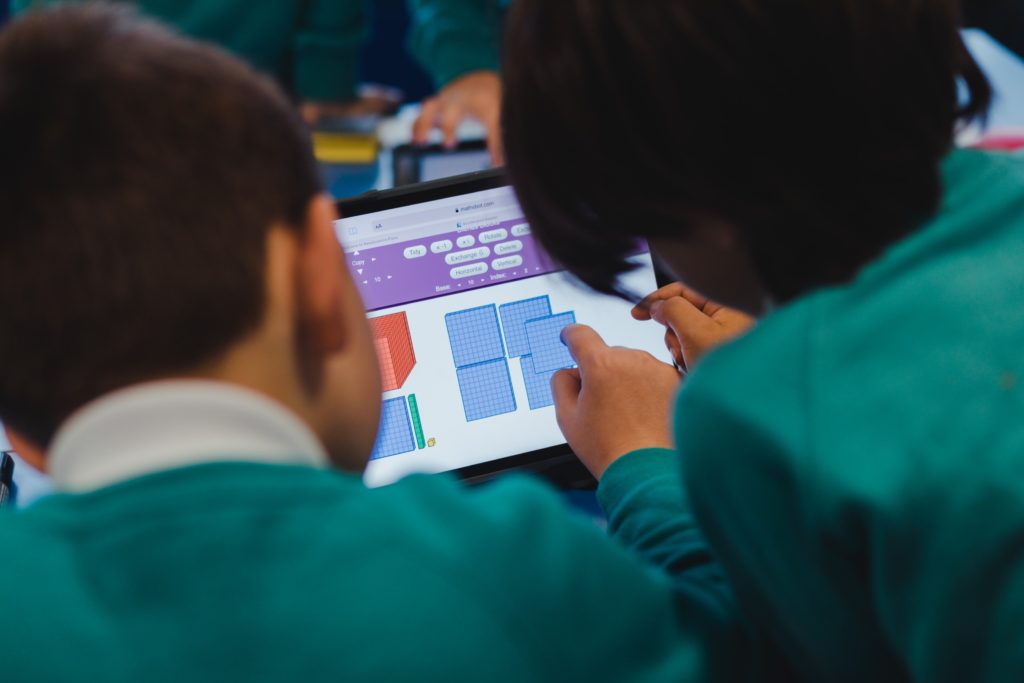
Computing is taught through dedicated weekly lessons in every class using the Kapow Computing scheme, with additional links made across the wider curriculum. The curriculum is organised progressively across five key areas: Computing systems and networks, Programming, Creating media, Data handling and Online safety. Lessons are carefully sequenced to build pupils’ knowledge and skills each year. Pupils use a range of technology, including laptops and class sets of iPads, to create and record their work, while teachers use modelling, guided practice and practical activities to support and challenge all learners. This approach helps pupils develop independence, creativity and confidence when using digital tools.
Assessment and progress
Teachers regularly check pupils’ understanding during Computing lessons through questioning, discussion and observation of practical tasks. These formative assessment strategies allow teachers to identify misconceptions, adapt teaching and provide additional support or challenge where needed. Pupils’ work is often recorded using digital tools and reviewed to monitor progress. At the end of each unit, teachers use the assessment guidance within the Kapow scheme to make overall judgements about pupils’ knowledge and skills, helping to track progression and inform future teaching.
Other forms of formative assessment strategies used in lessons include:
- Peer interaction – pair and group discussions allow pupils to explain their ideas while teachers assess understanding through dialogue.
- Lesson pause points – teachers pause learning to review key ideas, summarise understanding and correct errors before moving on.
- Retrieval practice – short recap activities help pupils recall and reinforce prior learning.
- Success criteria – pupils use shared success criteria to support self-assessment and peer assessment.
- Lesson reflections – lessons end with short written or verbal reflections so pupils can consolidate their learning and teachers can gauge understanding.
Meeting individual needs
Our scheme is designed to be fully adaptable to meet the needs of all learners, including those with SEND or who may need extra support.
Support strategies include:
- Seating and peer support – pupils who need extra help are seated closer to an adult or paired with a confident peer.
- Visual aids and clear instructions – use of symbols, step-by-step guidance, coloured or large print resources to make tasks more accessible.
- Alternative recording methods – pupils can record learning through drawing, verbal explanations, screenshots, or scaffolded digital tasks rather than extended writing.
- Prepared devices – laptops and iPads are set up in advance to reduce delays and allow pupils to focus on learning.
- Scaffolding and structured tasks – activities are flexible to provide additional support or challenge, with clear instructions to reduce cognitive load.
- Multi-sensory approaches – lessons include visual, auditory and hands-on elements to engage all learners.
- Collaborative and independent learning – opportunities for pupils to work at their own pace while building confidence and independence.
Encouraging challenge
- Pupils working at greater depth can collaborate with peers, demonstrate their learning, or explore tasks further.
- Teachers use deeper questioning to encourage problem-solving and critical thinking.
- Open-ended tasks allow pupils to experiment and apply skills creatively.
- Pupils are supported to work independently when presenting and developing their ideas using digital tools.
How parents and carers can hlp at home
- Encourage safe and responsible technology use – talk with your child about online safety, appropriate content, and respectful behaviour online.
- Promote problem-solving and curiosity – encourage children to explore, experiment, and think critically when using technology.
- Reinforce learning through discussion – ask your child to explain what they’ve learned in Computing lessons and share their creations.
Resources and useful links
Kapow: https://www.kapowprimary.com/subjects/computing/
Online beebot: https://beebot.terrapinlogo.com/
Scratch: https://scratch.mit.edu/
https://www.bbc.co.uk/bitesize/subjects/zvnrq6f
Safer internet: https://saferinternet.org.uk
For information on keeping children safe online at home click here https://www.nspcc.org.uk/keeping-children-safe/online-safety/
Documents to download
What are pupils say…
“I like computing because we get to learn using games and it also helps me with other things I don’t know like directions.”
“I like computing because you get to experience different ways of learning.”
“I love learning coding through games!”
“I love to tell computers how to do things and watch them carry out my instructions!”
Subject Lead
Miss Hook
Last reviewed: 16.3.26 / AH